REST API Design Patterns Every Developer Should Know in 2026
Master essential REST API design patterns with practical code examples. Covers naming, versioning, pagination, caching, error handling, and security.

REST API design patterns separate APIs that developers love from APIs that developers dread. Despite GraphQL’s rise and gRPC’s speed advantages, over 80% of public APIs still use REST according to RapidAPI’s 2025 State of APIs report. The problem is not REST itself — it is poorly designed REST APIs that ignore decades of proven patterns.
Most existing guides on this topic were written between 2020 and 2024. Meanwhile, the API landscape has shifted: AI-powered clients now consume APIs at scale, rate limiting has become a first-class design concern, and API versioning strategies have matured significantly. This guide covers the REST API design patterns that matter in 2026, with real code examples you can apply today.
TL;DR — The Patterns at a Glance
| Pattern | What It Solves | Priority |
|---|---|---|
| Resource naming | Confusing, inconsistent endpoints | Must-have |
| Collection pattern | Unpredictable CRUD operations | Must-have |
| Pagination & filtering | Oversized responses, slow queries | Must-have |
| Error handling | Cryptic failures, debugging nightmares | Must-have |
| Versioning | Breaking changes for existing clients | Must-have |
| Caching | Unnecessary server load, slow responses | High |
| Rate limiting | Abuse, uneven load distribution | High |
| HATEOAS | Tight client-server coupling | Nice-to-have |
If you already know the basics, skip to the versioning or rate limiting sections — those are where most teams make costly mistakes.
Resource Naming Conventions That Actually Scale
The foundation of every well-designed REST API is its URL structure. Get this wrong, and every other pattern becomes harder to implement. The core rule is simple: use nouns for resources, let HTTP methods handle the verbs.
Use Plural Nouns for Collections
# Good
GET /api/v1/articles
GET /api/v1/articles/42
POST /api/v1/articles

# Bad
GET /api/v1/getArticles
POST /api/v1/createArticle
GET /api/v1/article/42
Plural nouns keep endpoints consistent. When you mix singular and plural forms, clients have to guess which one to use. Stick with plurals for everything — even singleton resources like /api/v1/users/me/settings (settings is still plural).
Nest Resources to Show Relationships
Hierarchical URLs reflect how resources relate to each other:
GET /api/v1/users/15/orders          # Orders belonging to user 15
GET /api/v1/users/15/orders/42       # Specific order for user 15
GET /api/v1/orders/42/items          # Items in order 42
But here is the critical rule: never nest more than two levels deep. Beyond that, URLs become unmanageable and tightly couple your API to your data model.
# Too deep — avoid this
GET /api/v1/users/15/orders/42/items/7/reviews

# Better — flatten with direct access
GET /api/v1/items/7/reviews
GET /api/v1/reviews?item_id=7
Use Flat Endpoints for Cross-Cutting Queries
Not every access pattern fits a hierarchy. When clients need resources across multiple parents, provide flat endpoints alongside nested ones:
GET /api/v1/users/15/orders    # Orders for a specific user
GET /api/v1/orders             # All orders (with filtering)
GET /api/v1/orders?status=pending&created_after=2026-01-01
This dual approach gives clients flexibility without sacrificing the clarity of hierarchical relationships.
The Collection Pattern — Your CRUD Foundation
The collection pattern is the backbone of REST API design. It maps standard HTTP methods to CRUD operations on a resource collection, giving every endpoint a predictable behavior.
Standard Collection Endpoints
POST   /api/v1/recipes          # Create a new recipe
GET    /api/v1/recipes          # List all recipes
GET    /api/v1/recipes/42       # Get a specific recipe
PUT    /api/v1/recipes/42       # Replace a recipe entirely
PATCH  /api/v1/recipes/42       # Update specific fields
DELETE /api/v1/recipes/42       # Delete a recipe
PUT vs. PATCH — When to Use Each
This distinction trips up even experienced developers. PUT replaces the entire resource. PATCH updates only the fields you send.
// Original resource
{
  "id": 42,
  "title": "Pasta Carbonara",
  "servings": 4,
  "prep_time": "20min"
}

// PUT /api/v1/recipes/42 — replaces everything
// You must send ALL fields, or missing ones become null
{
  "title": "Pasta Carbonara",
  "servings": 2,
  "prep_time": "20min"
}

// PATCH /api/v1/recipes/42 — updates only what you send
{
  "servings": 2
}
A practical recommendation: support both PUT and PATCH, but encourage clients to use PATCH for partial updates. It reduces payload size and avoids accidental data loss from missing fields.
Idempotency Matters
Every HTTP method except POST is idempotent — calling it multiple times produces the same result. This is not just a theoretical concern. Network retries, load balancer timeouts, and mobile connectivity issues mean your API will receive duplicate requests.
| Method | Idempotent | Safe |
|---|---|---|
| GET | Yes | Yes |
| PUT | Yes | No |
| PATCH | Yes | No |
| DELETE | Yes | No |
| POST | No | No |
For non-idempotent POST requests, consider accepting an Idempotency-Key header so clients can safely retry without creating duplicate resources:
POST /api/v1/payments
Idempotency-Key: a1b2c3d4-e5f6-7890
Content-Type: application/json

{
  "amount": 99.99,
  "currency": "USD"
}
Pagination, Filtering, and Sorting Done Right
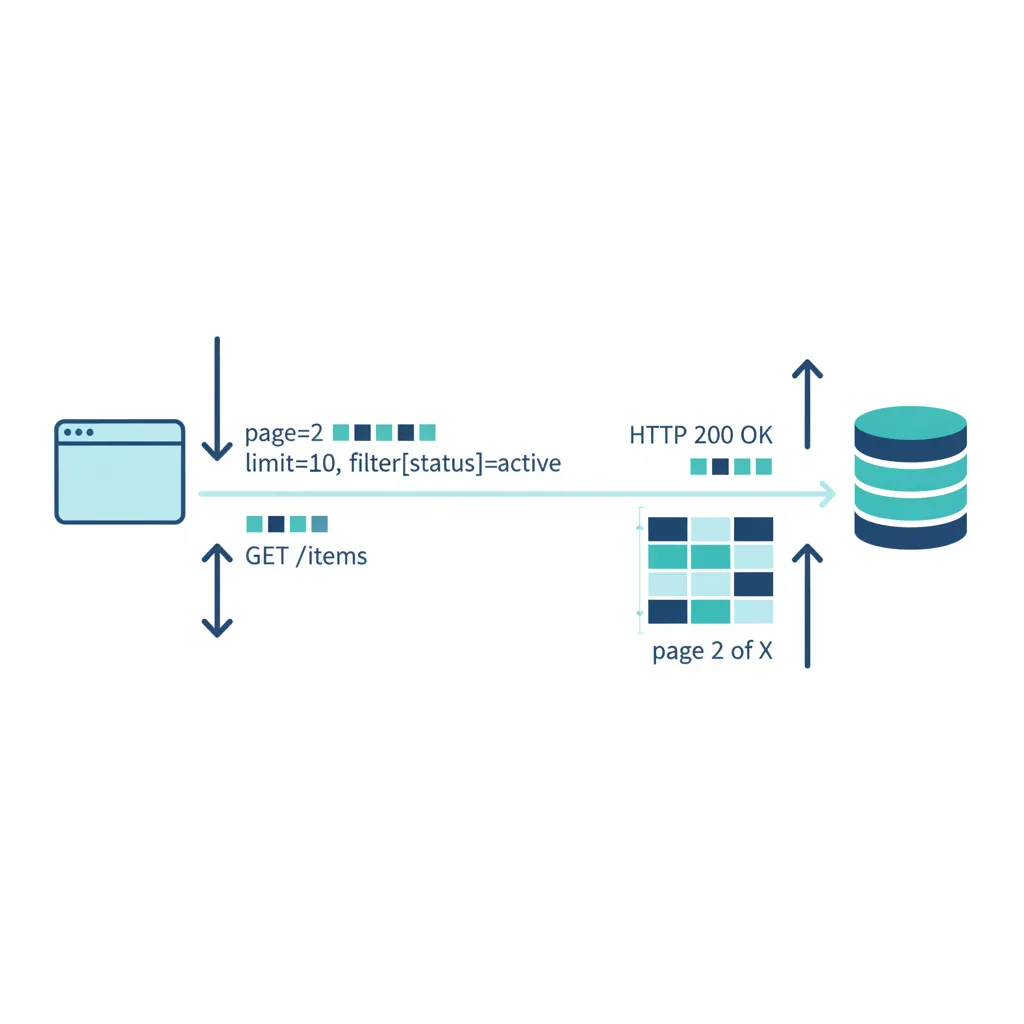
Returning thousands of records in a single response is one of the fastest ways to kill your API’s performance. Every collection endpoint needs pagination, and most benefit from filtering and sorting.
Cursor-Based vs. Offset Pagination
Offset pagination is simple but breaks at scale:
GET /api/v1/articles?page=5&per_page=20The problem: as data grows, OFFSET 10000 queries become increasingly slow. Records inserted or deleted between pages cause items to be skipped or duplicated.
Cursor-based pagination solves both issues:
GET /api/v1/articles?limit=20&cursor=eyJpZCI6MTAwfQ==The cursor is typically a Base64-encoded reference to the last item’s position. The response includes the next cursor:
{
  "data": [...],
  "pagination": {
    "next_cursor": "eyJpZCI6MTIwfQ==",
    "has_more": true
  }
}
Use offset pagination for admin dashboards and small datasets. Use cursor-based pagination for feeds, timelines, and any dataset that changes frequently or exceeds 10,000 records.
Smart Filtering Parameters
Design your filtering to be intuitive and composable:
# Filter by exact match
GET /api/v1/products?category=electronics&brand=sony

# Filter by range
GET /api/v1/products?price_min=100&price_max=500

# Filter by date range
GET /api/v1/orders?created_after=2026-01-01&created_before=2026-03-31

# Filter by multiple values
GET /api/v1/products?status=active,featured
Sorting with Clear Syntax
Keep sorting simple and explicit:
# Sort ascending by name
GET /api/v1/products?sort=name

# Sort descending by price
GET /api/v1/products?sort=-price

# Multi-field sorting
GET /api/v1/products?sort=-featured,price
The - prefix for descending order is a widely adopted convention from JSON API and other specifications. Stick with it rather than inventing your own syntax.
Error Handling Patterns That Help Developers Debug
A well-designed error response is worth more than a hundred pages of documentation. When something goes wrong, your API should tell the client what happened, why, and what to do about it.
Use Standard HTTP Status Codes Correctly
# Success
200 OK              — Request succeeded (GET, PUT, PATCH)
201 Created         — Resource created (POST)
204 No Content      — Success with no body (DELETE)

# Client errors
400 Bad Request     — Validation failure, malformed input
401 Unauthorized    — Missing or invalid authentication
403 Forbidden       — Authenticated but not authorized
404 Not Found       — Resource does not exist
409 Conflict        — State conflict (duplicate, version mismatch)
422 Unprocessable   — Semantically invalid (valid JSON, bad values)
429 Too Many Reqs   — Rate limit exceeded

# Server errors
500 Internal Error  — Unexpected server failure
503 Unavailable     — Maintenance or overload
Structured Error Response Body
Always return a consistent error structure. Here is a pattern that works well in production:
{
  "error": {
    "code": "VALIDATION_FAILED",
    "message": "The request body contains invalid fields.",
    "details": [
      {
        "field": "email",
        "issue": "Must be a valid email address.",
        "value": "not-an-email"
      },
      {
        "field": "age",
        "issue": "Must be between 0 and 150.",
        "value": -5
      }
    ],
    "request_id": "req_a1b2c3d4",
    "docs": "https://api.example.com/docs/errors#VALIDATION_FAILED"
  }
}
Key elements: a machine-readable error code (not just the HTTP status), a human-readable message, field-level details for validation errors, a request ID for debugging, and a link to documentation.
Never Expose Internal Details
// Bad — leaks implementation details
{
  "error": "SQLException: Column 'usr_email' not found in table 'tbl_users_v2'"
}

// Good — informative without leaking internals
{
  "error": {
    "code": "INTERNAL_ERROR",
    "message": "An unexpected error occurred. Please try again.",
    "request_id": "req_x7y8z9"
  }
}
API Versioning Patterns
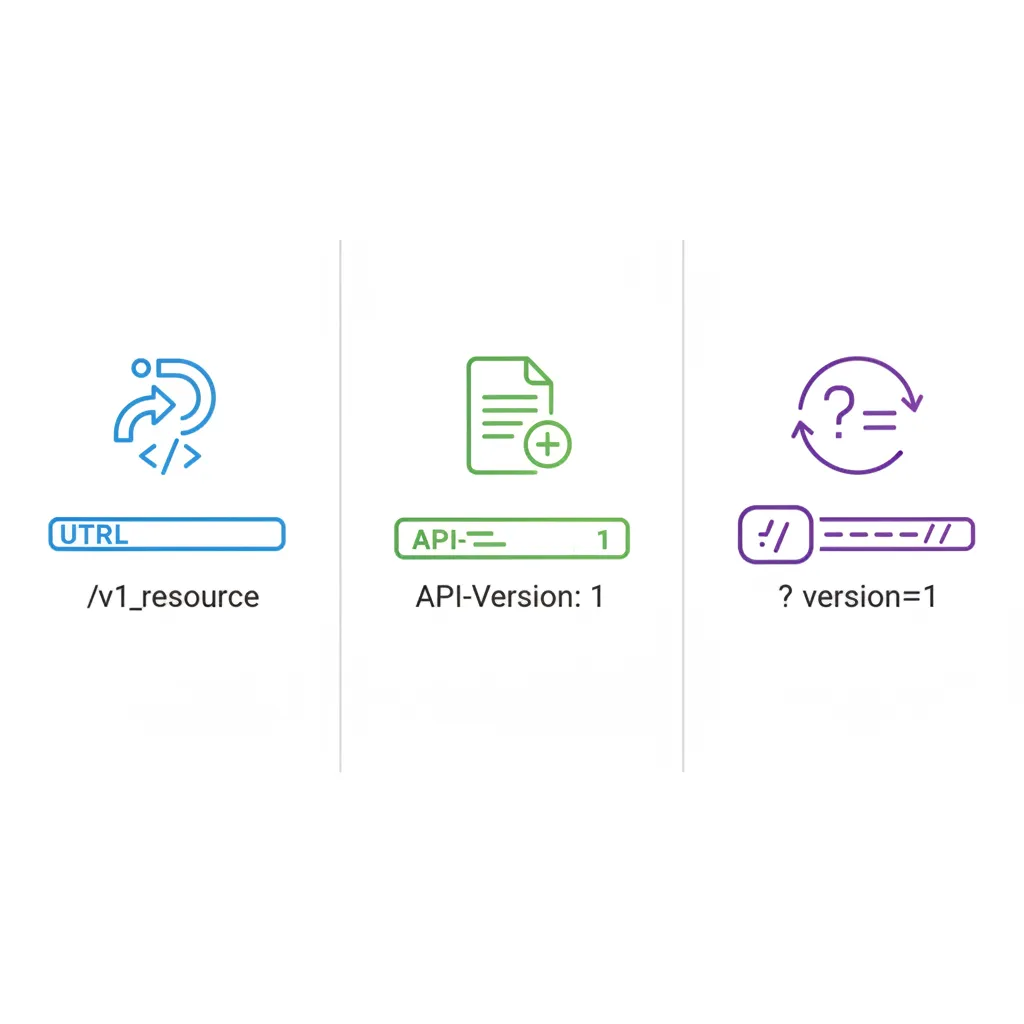
Breaking changes are inevitable. The question is not whether you will need to version your API, but how you will do it. There are three main strategies, and each has real trade-offs.
URL Path Versioning
GET /api/v1/users/42
GET /api/v2/users/42Pros: Explicit, easy to understand, simple to route, cache-friendly. Cons: Not technically “RESTful” since the same resource has different URIs. Can lead to code duplication across versions.
This is the most popular approach — used by Stripe, GitHub, and most major API providers. For the vast majority of APIs, URL path versioning is the right choice.
Header Versioning
GET /api/users/42
Accept: application/vnd.myapi.v2+jsonPros: Cleaner URLs, same resource always has one URI. Cons: Harder to test (you cannot paste it into a browser), easy to forget, less visible in logs.
Query Parameter Versioning
GET /api/users/42?version=2Pros: Easy to add, works everywhere. Cons: Easy to omit (what is the default?), clutters query parameters, caching complications.
Versioning Best Practices
Regardless of strategy, follow these rules:
- Version from day one — retrofitting versioning is painful
- Support at least two versions simultaneously during transitions
- Deprecate with clear timelines — give clients 6-12 months to migrate
- Return deprecation headers for old versions:
Sunset: Sat, 01 Jan 2027 00:00:00 GMT
Deprecation: true
Link: <https://api.example.com/v3/docs>; rel="successor-version"
Caching Strategies for REST APIs
Caching is not optional for production APIs. The right caching strategy can reduce server load by 60-80% for read-heavy APIs and dramatically improve response times.
HTTP Cache Headers
Use Cache-Control to tell clients and proxies how to cache responses:
# Cacheable for 5 minutes, revalidate after
Cache-Control: public, max-age=300, must-revalidate

# Private data — only the client can cache
Cache-Control: private, max-age=60

# Never cache
Cache-Control: no-store
ETags for Conditional Requests
ETags let clients avoid downloading unchanged data:
# First request — server returns ETag
GET /api/v1/products/42
→ 200 OK
→ ETag: "a1b2c3d4"

# Subsequent request — client sends ETag
GET /api/v1/products/42
If-None-Match: "a1b2c3d4"
→ 304 Not Modified (no body, saves bandwidth)
Server-Side Caching with Redis
For frequently accessed data, cache at the application level:
const express = require('express');
const Redis = require('ioredis');

const redis = new Redis();
const app = express();

app.get('/api/v1/products/:id', async (req, res) => {
  const cacheKey = `product:${req.params.id}`;

  // Check cache first
  const cached = await redis.get(cacheKey);
  if (cached) {
    return res.json(JSON.parse(cached));
  }

  // Fetch from database
  const product = await db.products.findById(req.params.id);

  // Cache for 5 minutes
  await redis.set(cacheKey, JSON.stringify(product), 'EX', 300);

  res.json(product);
});
The pattern works especially well for product catalogs, configuration data, and any resource that changes infrequently but is read thousands of times per second.
Rate Limiting Patterns
Rate limiting protects your API from abuse, ensures fair usage across clients, and prevents a single misbehaving integration from bringing down your service. In 2026, with AI agents making automated API calls at unprecedented scale, rate limiting has become a critical design concern.
Response Headers for Rate Limits
Always communicate limits through standard headers:
HTTP/1.1 200 OK
X-RateLimit-Limit: 1000
X-RateLimit-Remaining: 847
X-RateLimit-Reset: 1712764800
Retry-After: 30
Common Rate Limiting Strategies
Fixed window: Simple but allows burst at window boundaries.
1000 requests per hour, resets on the hourSliding window: Smoother distribution, prevents boundary bursts.
1000 requests per rolling 60-minute windowToken bucket: Most flexible — allows controlled bursts while maintaining an average rate.
Bucket size: 100 tokens
Refill rate: 10 tokens per second
Each request costs 1 token
429 Response Best Practices
When a client exceeds the limit, return a clear 429 response:
{
  "error": {
    "code": "RATE_LIMIT_EXCEEDED",
    "message": "You have exceeded the rate limit of 1000 requests per hour.",
    "retry_after": 30
  }
}
Always include the Retry-After header so clients know exactly when they can resume requests. This is especially important for AI-powered clients that can automatically respect the header and back off gracefully.
Security Patterns for REST APIs
Security is not a feature you bolt on later. These patterns should be part of your API design from the start.
Always Use HTTPS
This is non-negotiable. Every REST API should be served over HTTPS only. Redirect HTTP to HTTPS, and set the Strict-Transport-Security header:
Strict-Transport-Security: max-age=31536000; includeSubDomainsAuthentication with Bearer Tokens
Use OAuth 2.0 or JWT-based authentication:
GET /api/v1/users/me
Authorization: Bearer eyJhbGciOiJSUzI1NiIs...
Never pass tokens in query parameters — they end up in server logs, browser history, and referrer headers.
Input Validation at Every Boundary
Validate and sanitize all client input. Trust nothing that comes from outside your system:
// Express.js with express-validator
app.post('/api/v1/users',
  body('email').isEmail().normalizeEmail(),
  body('name').trim().isLength({ min: 1, max: 100 }),
  body('age').isInt({ min: 0, max: 150 }),
  (req, res) => {
    const errors = validationResult(req);
    if (!errors.isEmpty()) {
      return res.status(422).json({
        error: {
          code: 'VALIDATION_FAILED',
          details: errors.array()
        }
      });
    }
    // Process valid input
  }
);
Principle of Least Privilege
Role-based access control should limit what each client can do:
{
  "roles": {
    "reader": ["GET /api/v1/articles/*"],
    "editor": ["GET /api/v1/articles/*", "POST /api/v1/articles", "PUT /api/v1/articles/*"],
    "admin": ["*"]
  }
}
Frequently Asked Questions
What Are the 5 Basic Principles of REST API?
The five foundational principles are: (1) Client-Server separation — the client and server evolve independently, (2) Statelessness — each request contains all information needed to process it, (3) Cacheability — responses must define whether they are cacheable, (4) Uniform Interface — resources are identified by URIs and manipulated through standard HTTP methods, and (5) Layered System — clients cannot tell whether they are connected to the end server or an intermediary like a load balancer or CDN.
What Are the 5 Methods of REST API?
The five primary HTTP methods are GET (retrieve), POST (create), PUT (replace), PATCH (partial update), and DELETE (remove). GET is the only safe and idempotent method. POST is the only non-idempotent method. PUT, PATCH, and DELETE are idempotent but not safe — they modify server state, but calling them multiple times produces the same result as calling them once.
Should I Use REST or GraphQL in 2026?
It depends on your use case. Choose REST when you have well-defined resources with predictable access patterns, need strong caching, or want maximum compatibility. Choose GraphQL when clients need flexible queries across deeply nested data, you have many different client types (web, mobile, IoT) each needing different data shapes, or you want to reduce over-fetching. Many teams use both — REST for simple CRUD and GraphQL for complex data aggregation.
How Do I Handle API Versioning Without Breaking Existing Clients?
Use URL path versioning (/v1/, /v2/) and maintain at least two versions simultaneously. When introducing a breaking change, release the new version while keeping the old one running. Communicate deprecation timelines through Sunset and Deprecation headers. Give clients 6-12 months to migrate. For non-breaking additions (new fields, new endpoints), add them to the existing version — REST is designed to be forward-compatible.
What Is the Best Pagination Strategy for Large Datasets?
Use cursor-based pagination for datasets that change frequently or exceed 10,000 records. Cursors are stable across insertions and deletions, and database performance stays constant regardless of page depth. Use offset pagination only for small, static datasets or admin interfaces where users need to jump to specific pages. Always include has_more and pagination metadata in your responses so clients know when to stop fetching.
Bottom Line
REST API design patterns are not academic exercises — they are practical tools that determine whether your API is a joy or a headache to work with. Start with consistent resource naming and the collection pattern, then layer in pagination, proper error handling, and versioning. Add caching and rate limiting as your traffic grows.
The best APIs are not the most clever ones. They are the most predictable ones. When a developer can guess how your API works before reading the docs, you have done your job right.
Product recommendations are based on independent research and testing. We may earn a commission through affiliate links at no extra cost to you.